• Battery Chargers,Digital Camera Batteries,Camcorder Batteries,Laptop Batteries
  • About US
  • Shipping
  • Contact Us
  • View cart for battery charger View Cart

Search:

  • Canon
  • Casio
  • Fujifilm
  • Kodak
  • Nikon
  • Olympus
  • Panasonic
  • Sony
    Shop Catalogue
  • Battery Charger
  • Camcorder Battery
  • Digital Camera Battery
  • Laptop Battery
  • Power Tool Battery
  • Two Way Radio Battery
  • Battery Grip
    Laptop Battery Brand
  • Acer Laptop Battery
  • Compaq Laptop Battery
  • Dell Laptop Battery
  • HP Laptop Battery
  • HP-Compaq Laptop Battery
  • IBM Laptop Battery
  • Lenovo Laptop Battery
  • Toshiba Laptop Battery
    Top Laptop Batteries
  • IBM ThinkPad T40 Battery
  • IBM ThinkPad T41 Battery
  • IBM ThinkPad T42 Battery
  • IBM ThinkPad T43 Battery
  • IBM ThinkPad T60 Battery
  • IBM ThinkPad T61 Battery
  • IBM ThinkPad R32 Battery
  • IBM ThinkPad R40 Battery
  • IBM ThinkPad R50 Battery
  • IBM ThinkPad R51 Battery
  • IBM ThinkPad R52 Battery
  • IBM ThinkPad R60 Battery
  • IBM ThinkPad R61 Battery
  • IBM ThinkPad R61i Battery
  • IBM ThinkPad R61e Battery
  • IBM ThinkPad X60s Battery
  • Lenovo ThinkPad R61 Battery
  • Lenovo ThinkPad R61e Battery
  • Lenovo ThinkPad T61 Battery
  • Lenovo ThinkPad T61p Battery
  • Lenovo ThinkPad X60 Tablet Battery
  • Lenovo ThinkPad X61 Tablet Battery
  • Lenovo ThinkPad W500 Battery
    Top IBM/Lenovo Chargers
  • ThinkPad A21 Charger
  • ThinkPad R30 Charger
  • ThinkPad R40 Charger
  • ThinkPad T40 Charger
  • ThinkPad T41 Charger
  • ThinkPad T60 Charger
  • ThinkPad T60p Charger
  • ThinkPad X300 Charger
  • ThinkPad X60 Charger
  • ThinkPad Z60 Charger
  • ThinkPad 1500i Charger
  • ThinkPad i1720 Charger
  • ThinkPad R400 Charger
  • ThinkPad R500 Charger
  • ThinkPad R52 Charger
  • ThinkPad R60 Charger
  • ThinkPad R61 Charger
  • ThinkPad R61i Charger
  • ThinkPad SL300 Charger
  • ThinkPad SL400 Charger
  • ThinkPad SL500 Charger
  • ThinkPad T400 Charger
  • ThinkPad T500 Charger

Home > Laptop Batteries > IBM > Thinkpad r40 battery
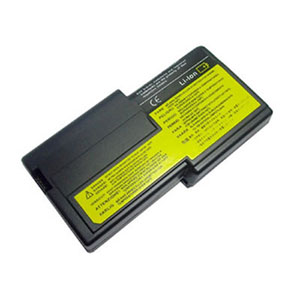

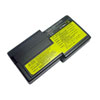
IBM Thinkpad r40 Battery - 14.8V 4400mAh Laptop Battery for IBM Thinkpad r40


Notes for IBM Thinkpad r40 Battery
  • Rating: Rating for IBM Thinkpad r40 Battery
  • IBM Thinkpad r40 Battery Info:
  • Brand: IBM Battery
  • Work with: Thinkpad r40
  • Volt: 14.8V
  • Capacity: 4400mAh
  • Chemistry: Li-ion

Ibm Thinkpad r40 Battery Description:

Ibm Thinkpad r40 Battery - was engineered for maximum runtime and was rigorously tested for voltage, capacity, compatibility . Without fear of the safe and quality. If you want a replacement Ibm Thinkpad r40 battery, the replacement Ibm laptop battery with the excellent performance ensure the highest levels of Ibm Thinkpad r40 battery life. Our replacement Ibm Thinkpad r40 battery meets or exceeds your original battery and it can 100% compatible for Ibm Thinkpad r40 Laptop.

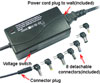
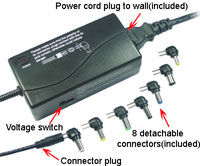
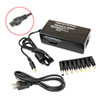
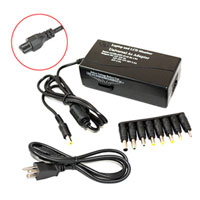
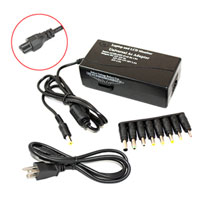
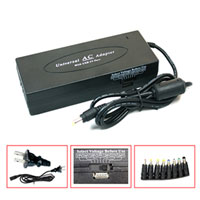
Buy IBM Thinkpad r40 battery and Thinkpad r40 charger together and you will save US $2.00!

  • +
  • =
  • Buy IBM Thinkpad r40 battery and Thinkpad r40 charger together and you will save US $2.00!

  • +
  • =
  • Buy IBM Thinkpad r40 battery and Thinkpad r40 charger together and you will save US $2.00!

  • +
  • =
  • Buy IBM Thinkpad r40 battery and Thinkpad r40 charger together and you will save US $2.00!

  • +
  • =
  • IBM Thinkpad r40 Battery Features

    1. Full 1 year warranty! 30 days money back!
    2.100% Q.C. of IBM Thinkpad r40 battery !
    3. Brand new! Good price,Good Service!
    4. Best replacement for the OEM product!
    5. Shopping at our website is very easy and 100% secure!
    6. We offten supply the same day shipping for the IBM battery Thinkpad r40 you ordered before 2:30PM!

    IBM Thinkpad r40 Compatible Battery Codes:


    IBM:
    02K6928, 02K7052, 02K7053, 02K7054, 02K7055, 02K7056, 02K7057, 02K7058, 02K7059, 02K7060, 02K7061, FRU 02K6928, FRU 02K7053, FRU 02K7057, IB-R32L, IB-R40L,

    IBM Thinkpad r40 Battery Fits Laptop Models:

    IBM:
    IBM Thinkpad r32, IBM Thinkpad r40,

    Prolong your IBM Thinkpad r40 battery usetime

    1. Program Overload: Run only the programs you are using at the time of use. Programs that run in the background use more system resources and drain laptop battery life.
    2. Power Saving Features: Stand by mode uses power. If your laptop has the hibernate feature, then use it. If not, turn it off whenever possible or feasible.
    3. Adjust screen brightness: Adjust the screen brightness as low as your eyes can take and you will see a big improvement in battery life.
    4. Use the A/C adapter via wall plug whenever possible. This many seem very obvious, however many times laptop users become so used to mobile computing, that even when at home they do not take advantage of a close by plug.
    5.Disable unnecessary programs from start up: Many programs that we do not even use, start automatically on computer boot, such as Microsoft Office Suites. Even anti virus can be disabled if you are not logging onto the Internet during that work session and do not have an open Internet connection.

    • About Us
    • Policy
    • Returns
    • FAQ
    • Shipping
    • Contact Us
    • Site Map
    • RSS Feed
    • Resourse

    Copyright © 2007-2012 www.battery-chargers.org All rights reserved.
    Get IBM Chargers,IBM Thinkpad r40 Battery Online Battery Store, Low Prices, Cheap Shipping, Secure.