Home > Laptop Batteries > Lenovo > Ideapad y530 Series battery
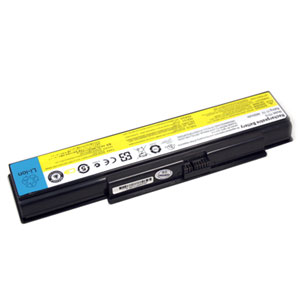



Lenovo Ideapad y530 Series Battery - was engineered for maximum runtime and was rigorously tested for voltage, capacity, compatibility . Without fear of the safe and quality. If you want a replacement Lenovo Ideapad y530 Series battery, the replacement Lenovo laptop battery with the excellent performance ensure the highest levels of Lenovo Ideapad y530 Series battery life. Our replacement Lenovo Ideapad y530 Series battery meets or exceeds your original battery and replacement for Lenovo Ideapad y530 Series battery , The Ideapad y530 Series is directly purchased by reputable manufacturers and through the rich quality assurance.
1. Full 1 year warranty! 30 days money back!
2.100% Q.C. of Lenovo Ideapad y530 Series battery !
3. Brand new! Good price,Good Service!
4. Best replacement for the OEM product!
5. Shopping at our website is very easy and 100% secure!
6. We offten supply the same day shipping for the Lenovo battery Ideapad y530 Series you ordered before 2:30PM!
Lenovo:
45J7706,
ASM 121000649, FRU 121TS0A0A,
Lenovo:
Lenovo
3000 y500 7761,
Lenovo
3000 y500 Series,
Lenovo
3000 y510 7758,
Lenovo
3000 y510 Series,
Lenovo
3000 y510a 15303,
Lenovo
3000 y510a Series,
Lenovo
Ideapad y510 7758,
Lenovo
Ideapad y510 Series,
Lenovo
Ideapad y530 20009,
Lenovo
Ideapad y530 4051,
Lenovo
Ideapad y530 Series,
Lenovo
Ideapad y530a,
Lenovo
Ideapad y710 4054,
Lenovo
Ideapad y710 Series,
Lenovo
Ideapad y730 4053,
Lenovo
Ideapad y730 Series,
Lenovo
Ideapad y730a,
A rechargeable Lenovo Ideapad y530 Series battery life is generally between 500 to 800 charge-discharge cycles under normal conditions. This translates into about three years of battery life for the average user. Battery life can be extended by storing the batteries at a low temperature, as in a refrigerator or freezer, because the chemical reactions in the batteries are slower. Such storage can extend the life of alkaline batteries by 1%~5%;In order to reach their maximum voltage, Lenovo Ideapad y530 Series batteries must be returned to room temperature.
1. New Lenovo Ideapad y530 Series battery comes in a discharged condition and must be fully charged before use. It is recommended that you fully charge and discharge the new battery two to four times to allow it to reach its maximum rated capacity, failure to do so can significantly shorten the battery's life.
2. Keep the Lenovo battery Ideapad y530 Series healthy by fully charging and then fully discharging it periodically. Exceptions to the rule are Li-Ion batteries, which do not suffer from the memory effect.
3. If you don't plan on using the battery Lenovo Ideapad y530 Series for a month or more, we recommend storing it in a clean, dry, cool place away from heat and metal objects. NiCad, NiMH and Li-Ion batteries will self-discharge during storage; remember to break them in before use.
4. Overcharge will cause some quality defect risen such as internal pressure rising, battery distortion, leakage and so on. Meanwhile its performance will decline.


 View Cart